LaunchNext Review: A Modern Spotlight Alternative for macOS
Introduction
After upgrading my Mac mini to macOS 26 Tahoe last year, the first thing I noticed wasn't better performance – it was that Launchpad was gone.
After setting up the system, I instinctively pinched with four fingers to bring up Launchpad, but instead I got a flat list of applications. The full-screen app icons were gone, folders were gone, and the apps I had carefully organized into folders were scattered back into system categories. That was when I realised – Apple had really removed Launchpad.
Then I stumbled upon a project called LaunchNext on GitHub. The first sentence of the README hit me right away – "Bring your Launchpad back in MacOS 26+, highly customizable, powerful, free."
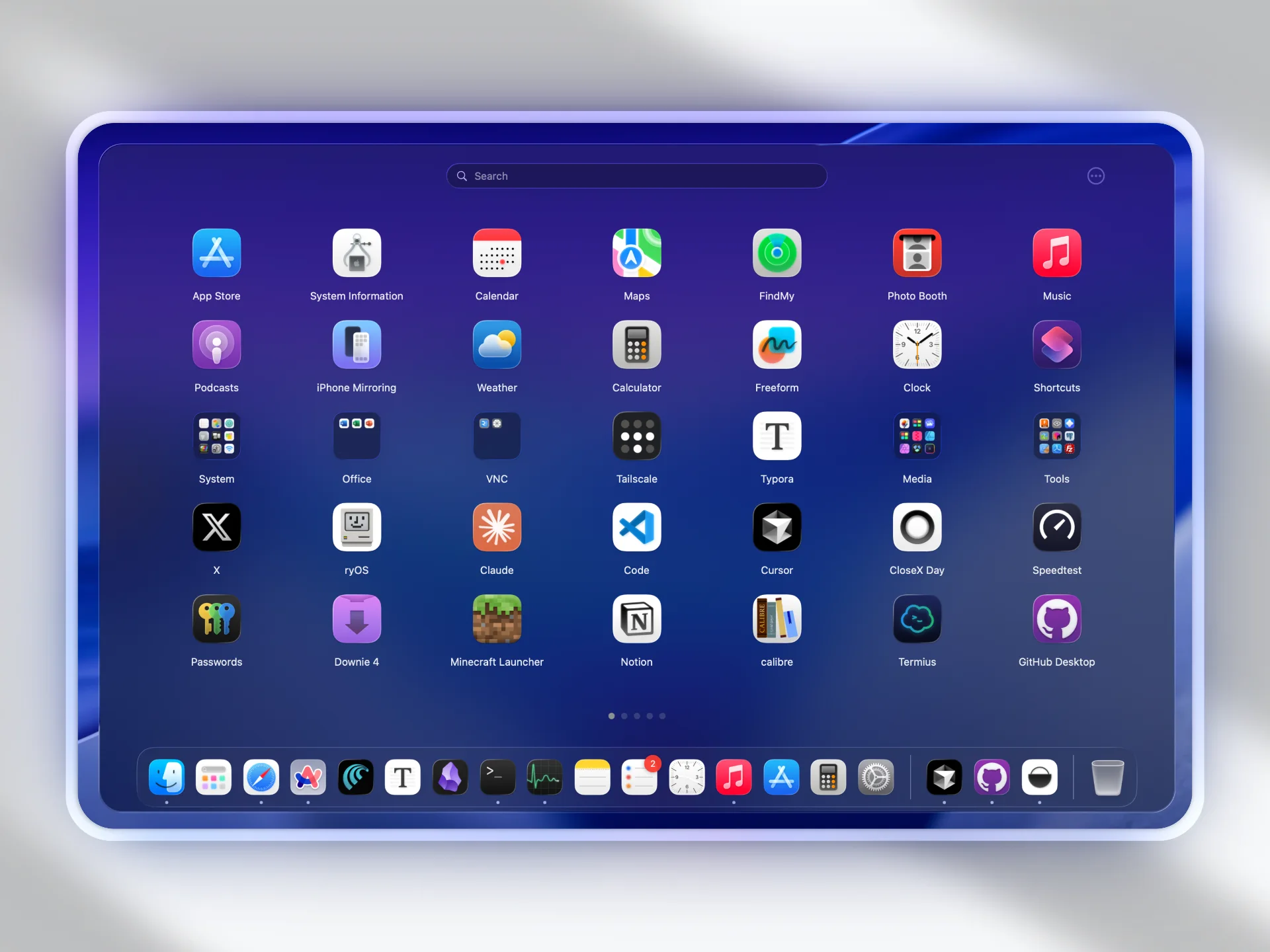
What Is LaunchNext
LaunchNext is a completely free and open-source macOS Launchpad replacement, built natively with SwiftUI and AppKit, making full use of Apple's technology frameworks. It runs smoothly with natural animations.
What surprised me most was that it reads the system Launchpad's SQLite database directly – the path is documented in the repository: /private$(getconf DARWIN_USER_DIR)com.apple.dock.launchpad/db/db. In other words, it doesn't draw a launcher from scratch – it actually reads the state of "how I had things arranged before" from macOS and gives it back to me exactly as it was.
The project is licensed under GPL-3.0, completely open-source, with no ads, no subscriptions, no paywalls, and does not collect any user data. It has already accumulated over 2700 stars on GitHub and continues to be actively updated.
Why I Recommend It
1. Bring Your Launchpad Back with One Click
On first launch, LaunchNext automatically scans all applications on your computer. I went into Settings and clicked "Import Launchpad" – just one button. A few seconds later, the three folders I had saved – "Design", "Development", and "Daily" – along with their apps and order, were exactly as they were before upgrading to Tahoe.
That moment felt incredible: not like "I installed new software", but like "I got back a habit I thought I'd lost forever".
2. Highly Customizable with Great Freedom
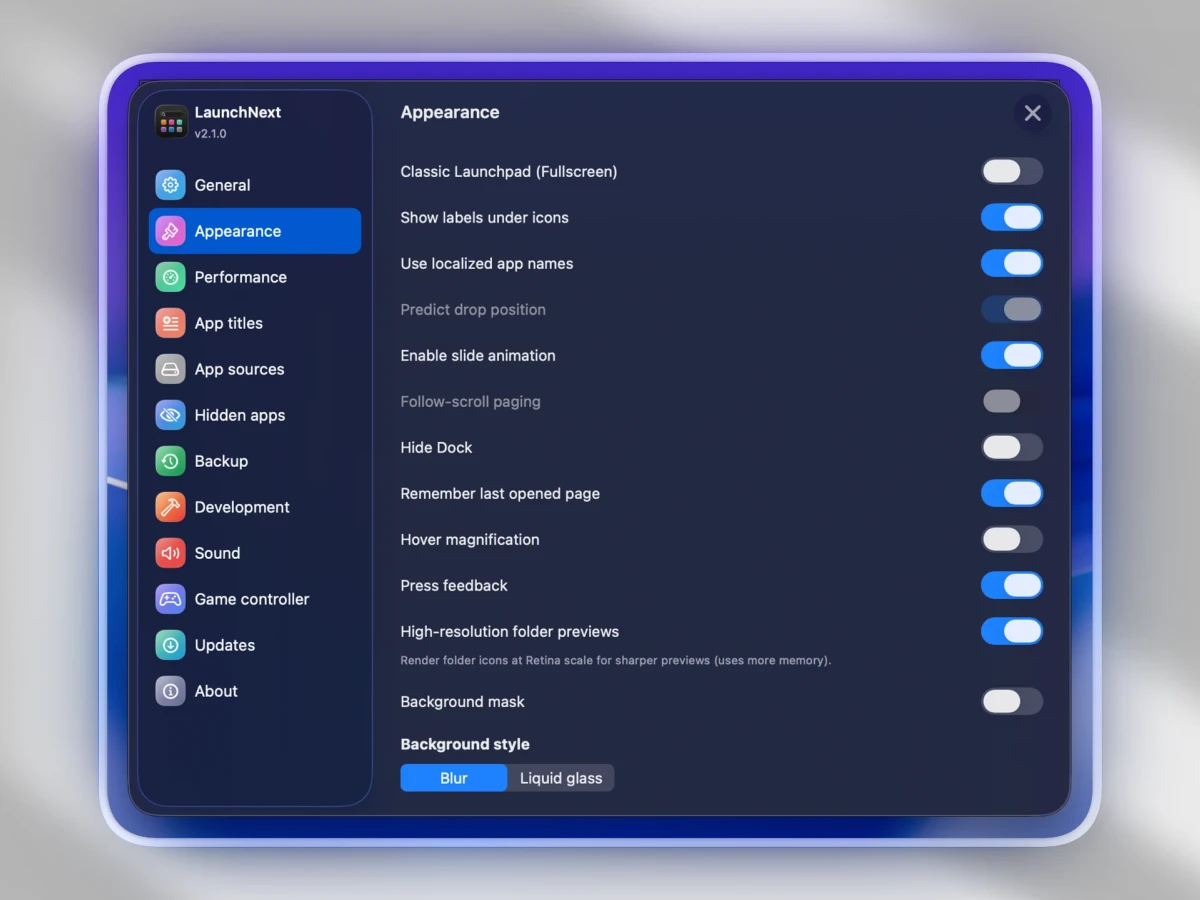
Unlike the system's built-in Launchpad, LaunchNext offers a wide range of customisation options: you can freely adjust icon size and grid density, hide text labels below icons, switch between full-screen and windowed modes, and adjust background effects and animation styles.
Built on Core Animation technology, it supports smooth ProMotion animations up to 120FPS, making interactions feel very responsive.
3. Keyboard Enthusiasts Will Love It
In addition to hot corners and trackpad gestures, LaunchNext also includes fuzzy search – just type a few characters in the search box and it quickly matches the app you're looking for.
For developers, there's another killer feature: CLI support. After enabling the command-line tool in Settings, you can operate directly from the terminal:
launchnext ls # List all apps launchnext open XXX # Open a specific appWhen bouncing between code and other tasks, not having to leave the terminal for a four-finger pinch makes the workflow much smoother.
4. Some Practical Little Features
LaunchNext also includes some thoughtful touches: drag and drop apps to the Dock, hide apps you don't need, customise app names and icons, built-in app uninstaller, game controller support for browsing and launching apps, and backup and restore for custom layouts.
For languages, LaunchNext comes with 13 interface languages, including English, Simplified Chinese, Traditional Chinese, Japanese, Korean, French, Spanish, German, Russian, Hindi, Vietnamese, Italian, and Czech.
5. Free + Open Source
This is the biggest selling point. In a macOS ecosystem dominated by paid software, a tool that's feature-rich, polished, and completely free and open-source is genuinely rare. The author is transparent in the README about standing on the shoulders of LaunchNow – this kind of "passing the baton" open-source collaboration gives me confidence.
Who Is It For
- People with many apps on their Mac – who spend too long hunting for applications
- Those dissatisfied with the new app list after macOS 26 removed Launchpad
- Long-time users accustomed to trackpad gestures or hot corners for quick Launchpad access
- Those who enjoy desktop customisation and want more control over their app launcher
- Privacy-conscious users who don't want any data collection
- Developers – the CLI and terminal workflow integration is a great fit for development environments
What Could Be Better
Of course, LaunchNext isn't perfect.
You need to handle code signing manually. The developer can't afford Apple's $99 annual developer certificate, so the app is unsigned. On first launch, macOS will block it – you need to run a terminal command to remove the quarantine: sudo xattr -r -d com.apple.quarantine /Applications/LaunchNext.app. While it's not complicated, it can be a barrier for users who aren't comfortable with the command line.
Currently only supports macOS 26 and above. If you're still on an older version of macOS, LaunchNext won't work for you.
The project is relatively new, and the plugin ecosystem is still maturing. Compared to more established tools like Raycast, LaunchNext is currently more focused on Launchpad replacement, with room to grow in terms of extensibility.
Alternatives
If you're interested in macOS launchers or app management tools, these are also worth checking out: Raycast – a feature-rich free launcher with a powerful extension ecosystem and modern interface; Alfred – the most well-known productivity launcher on macOS, supporting workflows and custom searches, though the full feature set requires a paid license; LaunchNow – the predecessor to LaunchNext, also focused on Launchpad replacement, but with more basic functionality.
Final Thoughts
If you've found app management frustrating since macOS 26 removed Launchpad, and you want faster launching and more customisation, LaunchNext is a free open-source alternative worth trying.
It brings back the classic Launchpad experience while adding a host of modern, practical features. Free, open-source, no data collection – just those three points alone make it worth a try.