Directory Opus - Powerful Windows File Manager Beyond File Explorer
From File Explorer to Directory Opus
I used Windows' built‑in File Explorer for years, always thinking it was "good enough". Until one day, I needed to organise a folder packed with thousands of photos – batch rename, sort by date, filter out duplicates, and move some of them to my NAS. That was when I realised how painfully limited File Explorer is for tasks like these. A friend recommended Directory Opus, and after using it for a month, I found that I just couldn't go back.
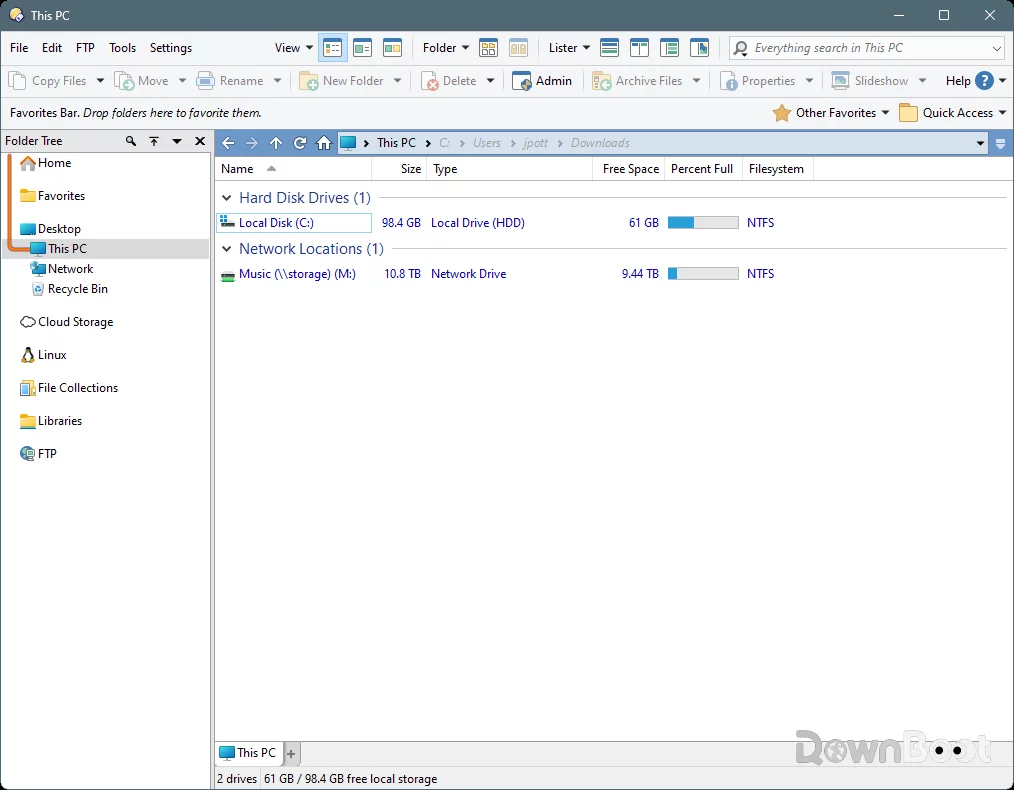
What Is Directory Opus
Simply put, Directory Opus is a third‑party file manager that can completely replace Windows File Explorer. Its history goes back to the Amiga platform in the 1990s, and it was later ported to Windows. After decades of refinement, it has become the default file management tool for many power users.
The biggest difference from File Explorer is that Directory Opus doesn't just "add a few features" to the existing file management experience – it completely rebuilds the entire interface. Dual panes, tabs, batch rename, FTP, archive support, deep customisation – all of these together make file management an order of magnitude more efficient than before.
The official site puts it directly: if you're frustrated with the limitations of Windows File Explorer, Directory Opus is a complete replacement.
Why Many Power Users Choose It
I later realised that the biggest problem with File Explorer isn't that it's "slow" – it's that its design logic is stuck two decades in the past.
File Explorer works like this: you open one window and manage the contents of one folder. If you need to work between two folders – say, moving files from folder A to folder B – you have to open two windows and drag between them. If you're juggling three or more folders, you end up with more and more windows cluttering your desktop.
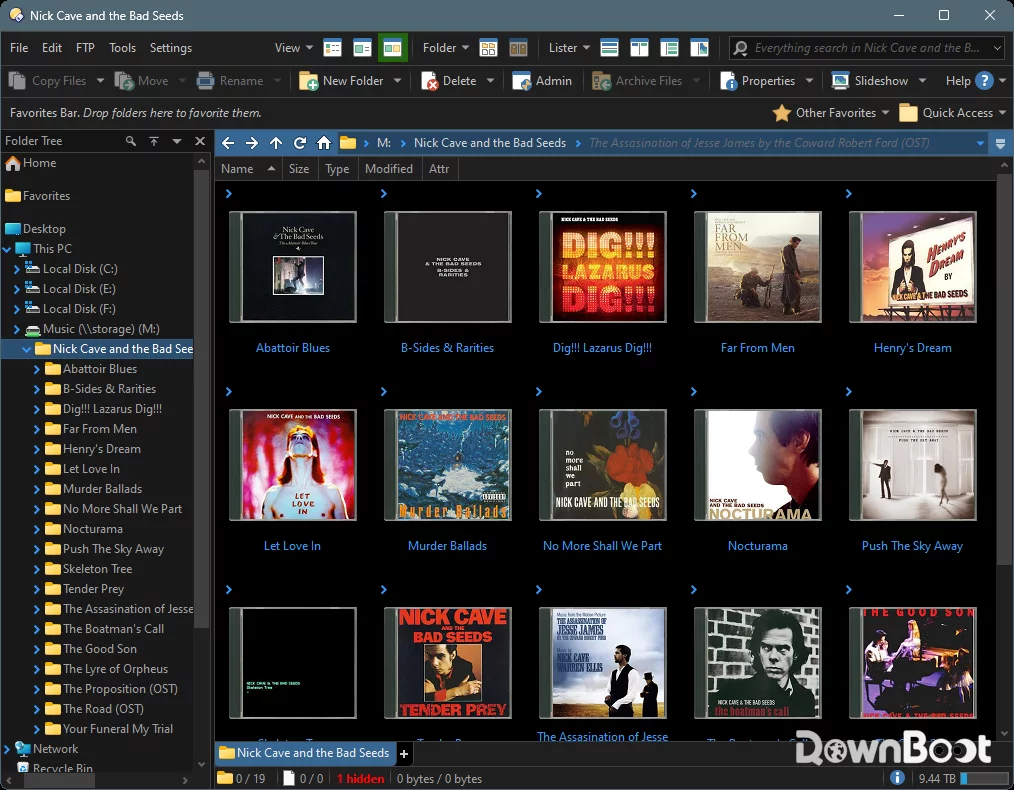
Directory Opus solves this in a straightforward way: dual‑pane view. The left and right panels can show different folders – Downloads on the left, Documents on the right – and you can drag files directly between them. Each panel can also have multiple tabs, effectively letting you manage over a dozen folders within a single window. If you need even more panels, you can adjust the layout to your liking.
Another thing worth mentioning is that Directory Opus can completely take over the system's file management – after installation, pressing Win+E opens Directory Opus instead of File Explorer. This "replacement" experience is so thorough that after a while, you'll forget what File Explorer even looked like.
A Few Features That Made Me Think "Worth It"
Batch rename is genuinely powerful. File Explorer does have batch rename, but it's incredibly basic – it can only add a sequential number. Directory Opus's batch rename supports regular expressions, replace, insert, numbering, date, metadata – pretty much any naming pattern you can think of. Renaming hundreds of photos by their capture date takes just a few seconds, and you can preview the results in real time.
File search is much faster than Windows. Directory Opus comes with its own search engine and can also integrate with Everything for indexed searching. Results can be filtered by type, date, size, metadata, and more – a huge step up from the search box in the top‑right corner of File Explorer.
The built‑in preview is really handy. You can preview images without opening a viewer, and view document contents without launching a PDF reader. For anyone who frequently needs to quickly browse through file contents, this saves a lot of time.
Highly customisable. Almost every part of Directory Opus can be customised – toolbar buttons, menus, shortcuts, colour themes, fonts, layout. You can reshape it to match exactly how you work. One user put it: "The functionality is incredibly powerful, and it's much easier to find features than in Total Commander."
A full set of built‑in utilities. FTP client, archive extraction, file synchronisation, duplicate file finder, image conversion – all of these are built in, with no need for extra plugins.
What Could Be Better
Directory Opus isn't perfect – there are a few things to keep in mind.
The learning curve is real. With so many features, it takes time to get familiar with everything. The first time you open it, the interface can feel overwhelming – so many buttons and options. That said, the documentation is thorough, every button has tooltips, and the default configuration is close enough to File Explorer that basic operations don't require relearning.
It's not cheap. Directory Opus is paid software. There are occasional discounts – I've seen promotions through resellers. The official pricing is around 89 AUD for the first year, with 25 AUD annual renewal after that.
You'll need to invest time in configuration. Some users have noted that Directory Opus doesn't come "ready‑to‑use out of the box" like some other tools – you need to spend time tweaking settings, buttons, and scripts to get it just right. But on the flip side, that also means it gives you complete freedom to set it up your way.
The interface leans traditional. While it supports dark themes and a high degree of customisation, the default interface design doesn't have the polish of some modern applications. If you're particular about UI aesthetics, you might want to spend some time adjusting the theme.
Who Is It For
If you only open a few folders a day, take a look at files, and occasionally copy and paste, File Explorer is perfectly fine – there's no need to spend money on this.
But if you fall into any of these categories, Directory Opus will make you wonder how you ever managed without it:
- Photographers or designers – dealing with massive numbers of image files daily, batch renaming, previewing, and organising are routine
- Developers – frequently switching between multiple project directories, where fast search and filtering are essential
- IT admins or system administrators – regularly working with servers, NAS, and FTP, needing an efficient file management tool
- Anyone who handles a large volume of files every day – once the file count goes up, File Explorer's limitations become painfully obvious
Alternatives
If you're interested in file managers, these are also worth checking out: Total Commander – a long‑standing dual‑pane file manager with extremely powerful features, but with a retro interface and a steeper learning curve; XYplorer – a feature‑rich file manager with tabs, scripting, and deep customisation, though its interface style differs from Directory Opus; Files – a modern, free file manager with a design that matches Windows 11, but its feature depth and stability still have some ground to cover.
Final Thoughts
Directory Opus isn't the kind of software that delivers instant gratification right after installation – it takes time to set up, to adapt, and to discover the features tucked away in the menus. But once you've configured it to your liking, it becomes one of the most comfortable tools you use every day. It's not essential, but for anyone who deals with large volumes of files on a daily basis, it's worth the price.