Letos (Formerly SQLiteStudio) – Free Open Source SQLite Database Manager
Introduction
When I first started working with SQLite, I have to admit I wasn't a fan. Not because the database itself is bad – but because every time I needed to look at data, I had to open the command line. Type commands, view tables, type more commands. After a few rounds of that, it got old pretty quickly. I tried a few graphical management tools over time. Some had outdated interfaces, some had all the features but were a pain to configure, and a few were commercial software with restrictive free versions.
Then I came across a recommendation in some tech community for SQLiteStudio. It was described as free, open‑source, cross‑platform, and portable – no installation required. I was sceptical. I'd tried plenty of free open‑source tools that claimed to be good, but few actually delivered. I downloaded it, unzipped it, double‑clicked to open it, and my first impression was – this is actually a lot better than I expected.
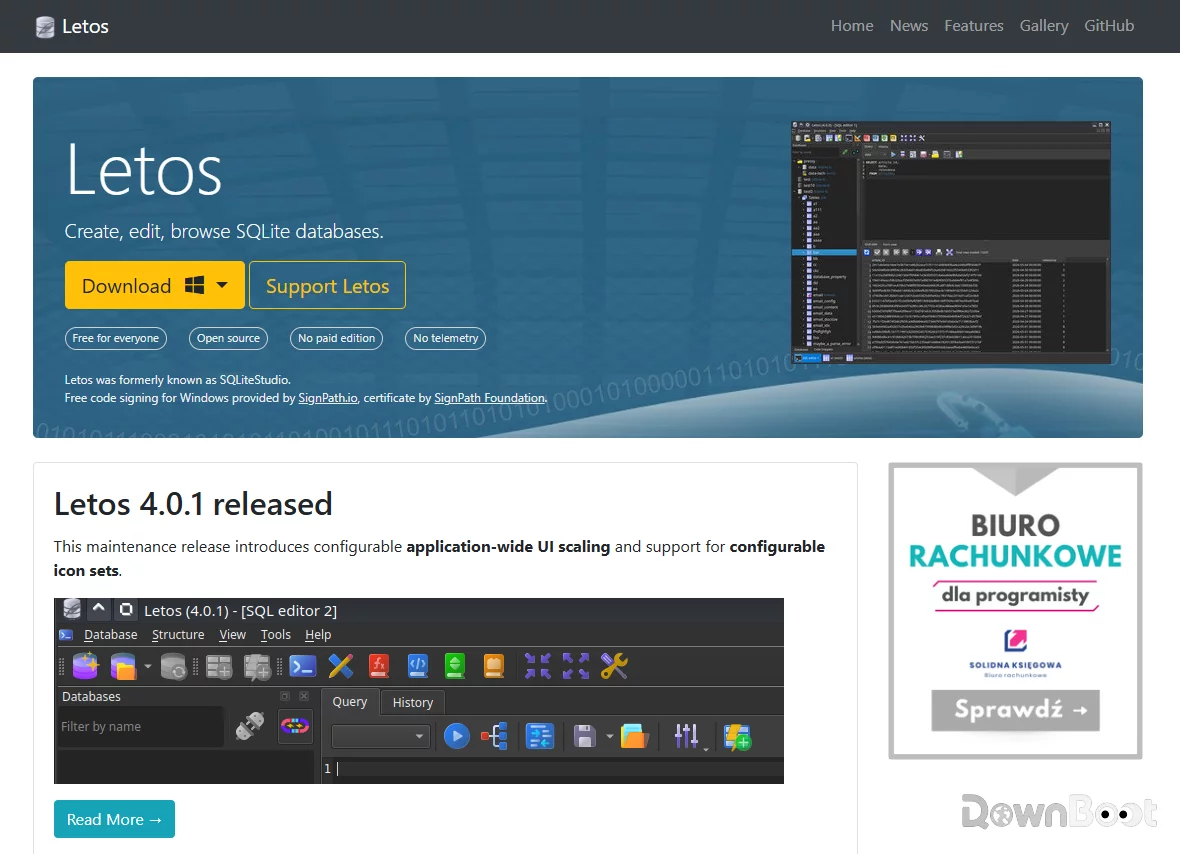
That said, referring to it as SQLiteStudio these days isn't quite accurate anymore. A while back, the official release introduced a major version update and rebranded the project as Letos. The website also moved to letos.org. The name has changed, but the tool itself is still the same – and arguably even better than before.
Why I Recommend It
The most direct benefit of Letos is that it lifts SQLite out of the command line and puts it into a graphical interface that you can click and explore. If you frequently need to view or modify SQLite databases but don't want to memorise commands or type statements every single time, it's a real time‑saver.
Its core positioning is very clear: a graphical management tool designed specifically for SQLite. Compared to those "do‑everything" tools that support dozens of databases, Letos is more focused, and as a result, lighter and more streamlined. The entire application is only a few dozen megabytes, runs on Windows, macOS, and Linux, and offers a portable version that works right out of the box.
What's more, it's completely free and open‑source, released under the GPL license. No feature restrictions, no ads, no paywalls – it's free for personal use and commercial use alike. The project has already accumulated over 6.6k stars on GitHub, which speaks to a pretty active community. For developers, students, or anyone who needs to manage SQLite databases, that "completely free with no strings attached" premise alone is already a strong selling point.
A Few Things I Like
No installation required – just unzip and run. This was the first thing that caught my attention. Download the zip, extract it, double‑click the exe, and you're up and running. It doesn't touch the registry, doesn't install system services, and you can just copy the entire folder to another machine when you switch computers. For someone who frequently moves between different machines, this "grab‑and‑go" experience is a real convenience.
Visual table design – no need to memorise SQL syntax. Right‑click on a database in the left panel and select "New Table" – a visual table designer opens up. Adding columns, setting types, specifying primary keys and foreign keys – everything is point‑and‑click. Of course, if you prefer writing SQL, you can switch to the SQL editor – both approaches are supported.
The SQL editor is very pleasant to work with. It includes syntax highlighting, auto‑completion, code folding, and formatting. While writing queries, press Ctrl+Space to bring up suggestions, and Ctrl+T to format your code. One detail I particularly appreciate is that Ctrl+clicking on a table name mentioned in the query will open that table directly. This small feature saves a lot of back‑and‑forth switching.
Data import and export are incredibly convenient. It supports CSV, Excel, JSON, HTML, XML, PDF, and SQL. One scenario I use frequently is dragging a CSV file into Letos – it automatically detects field types and generates the CREATE TABLE statement. Query results can also be exported with a single click to SQL, JSON, or HTML. For daily data processing, this feature is something I use almost every day.
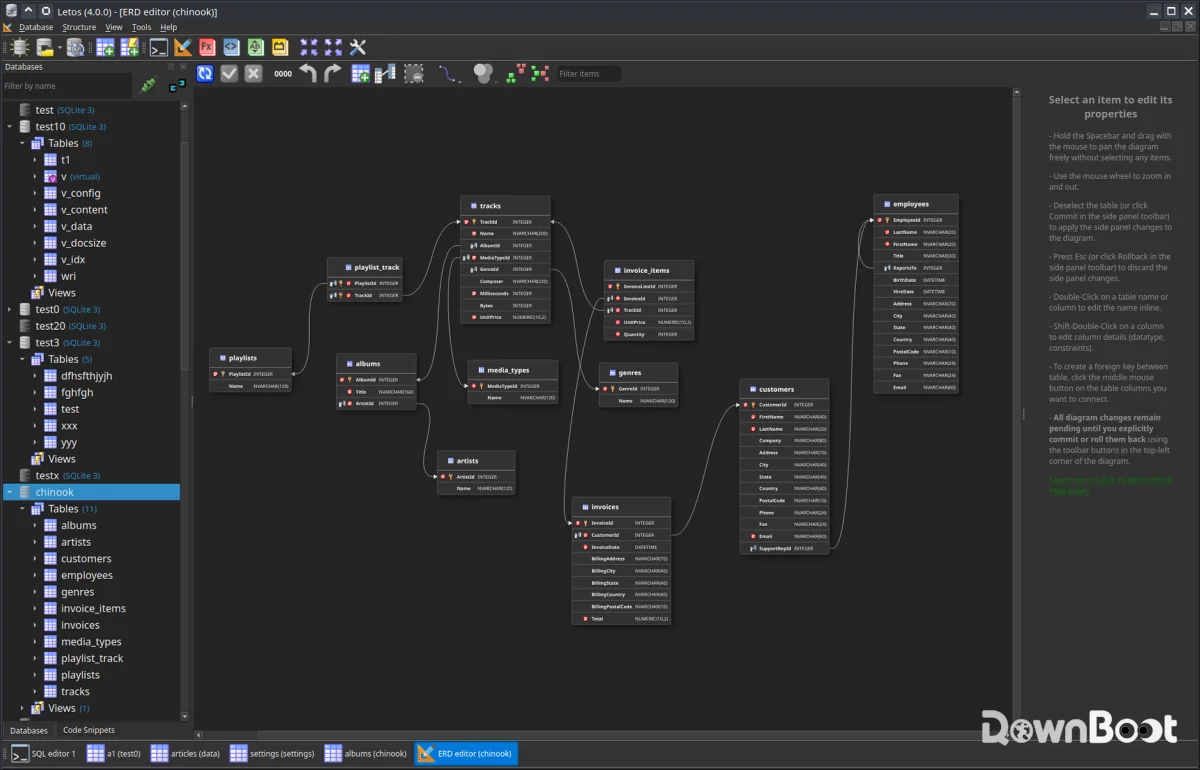
The new ERD editor. This is a significant addition that came with Letos 4.0.0. It allows you to view, create, and edit database schemas visually as diagrams, letting you inspect and manipulate tables, columns, and relationships directly on the chart. For anyone designing or analysing database structures, this is far more convenient than working with plain text.
Plugin and scripting extensibility. You can write custom functions in JavaScript, Python, or Tcl. There are already ready‑to‑use scripts on GitHub that you can copy, paste, and run. While most users may never need this capability, for those with specific requirements, this level of openness adds a lot of potential.
What Could Be Better
The interface is fairly traditional. Compared to many modern desktop applications, Letos's UI looks a bit "old‑school" – it's not ugly, but it's certainly not polished. If you have high expectations for visual design, your first impression might be that it's a bit plain.
It only works with SQLite. If you need to manage MySQL, PostgreSQL, or other databases, Letos won't be of any help. Its focus is specifically SQLite, so cross‑database scenarios are outside its scope.
For complete beginners with no database background, you still need to understand some basic concepts. The graphical interface does lower the barrier considerably, but if you have no idea what a table, a column, or a primary key is, clicking around may not get you very far. To be fair, though, this is a limitation of any database management tool, not just this one.
It's also worth noting that the Letos 4.0.1 portable version takes up about 120MB on disk, up from SQLiteStudio v3.4.21's 68MB. While that's still not a huge footprint by modern standards, if disk space is a concern, it's something to keep in mind.
Free Usage License
Letos is completely free, released under the GPL open‑source license. It's free for both personal and commercial use, with no feature restrictions, ads, or paywalls. The source code is fully open and hosted on GitHub – anyone can view it, modify it, or contribute.
Although the project name has changed from SQLiteStudio to Letos, the core promise of "free, open‑source, and cross‑platform" remains unchanged.
Supported Platforms / Languages
Letos supports Windows, macOS, and Linux. For Windows, both an installer and a portable version are available; macOS provides a dmg package; Linux offers AppImage format as well as packages for various distributions. The interface supports multiple languages, including Simplified Chinese, which can be selected on first launch.
Who Is It For
- Developers – debugging apps or desktop software that use SQLite databases
- Data analysts – viewing data, running queries, exporting results
- Students – learning SQL and database fundamentals
- Anyone who needs to quickly view SQLite files – many applications store configuration or data in SQLite
- People who don't want to pay for database tools – free and open‑source with no hidden fees
Alternatives
If you're interested in SQLite management tools, these are also worth checking out: DB Browser for SQLite – also free and open‑source, with a simpler interface, great for beginners and basic operations; DBeaver – a universal tool supporting dozens of databases, powerful but heavier; Navicat for SQLite – commercial software, feature‑rich but pricey; DataGrip – from JetBrains, supports multiple databases, requires a paid subscription.
Final Thoughts
Letos (formerly SQLiteStudio) isn't the kind of software that will wow you with its looks on first glance. But when you need to manage a SQLite database, it just works – smoothly, reliably, and without fuss. Free, open‑source, cross‑platform, and portable – these qualities together have made it the first tool I reach for whenever I need to work with SQLite files. If you frequently deal with SQLite, it's definitely worth keeping in your toolkit.