Classic 7 – Bring the Classic Windows 7 Experience Back to Windows 10
Introduction
Windows 7 has been out of support for years now, but even today, I still think it's the most comfortable version of Windows Microsoft ever made. Aero Glass, the rounded Start menu, the transparent taskbar… even now, when I see screenshots, it still looks pleasing. I thought I could only relive those days with theme packs, but then I discovered Classic 7 – it's not just a skin; it goes as far as turning Windows 10 into something that looks and feels like Windows 7.
Why Recommend It
Classic 7 is not a theme, not Rainmeter, not WindowBlinds. It is a deeply modified system project based on Windows 10 IoT Enterprise LTSC 2021, with the goal of recreating the complete Windows 7 experience 1:1. This means you get more than just a wallpaper or an icon set – you get the full old‑school experience from the login screen, File Explorer, Control Panel, all the way to the Start menu. More importantly, it retains the security updates that Windows 10 LTSC still receives – Microsoft's official support for IoT Enterprise LTSC 2021 lasts until 2032. So you can enjoy the classic Windows 7 interface while still benefiting from Windows 10's security and driver compatibility.
Key Features
- Aero Glass effect – translucent windows, taskbar, and title bars for that classic visual texture
- Windows 7‑style Start menu – classic two‑column layout, ditching tiles and recommendations
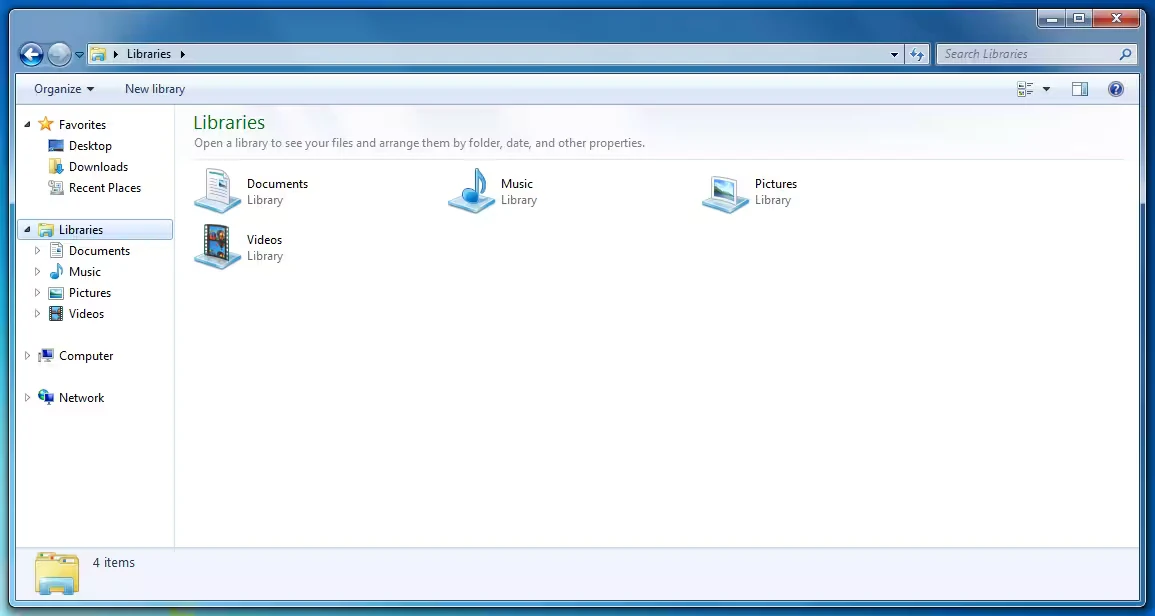
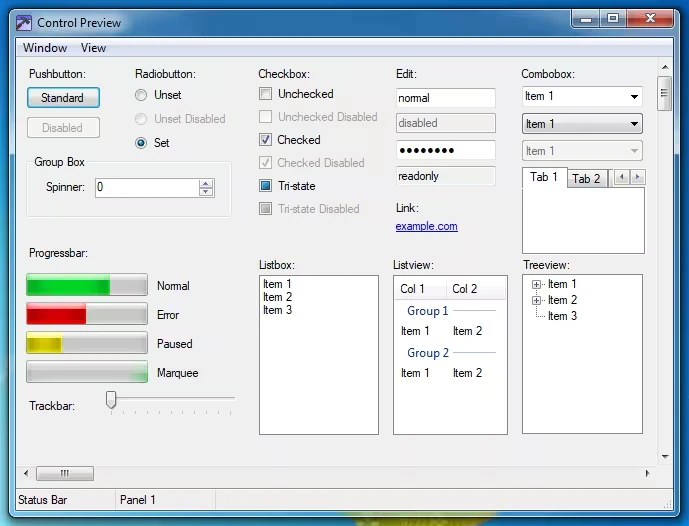
- Windows 7 File Explorer and control styles – menus, toolbars, and dialogs all reverted to the Win7 look
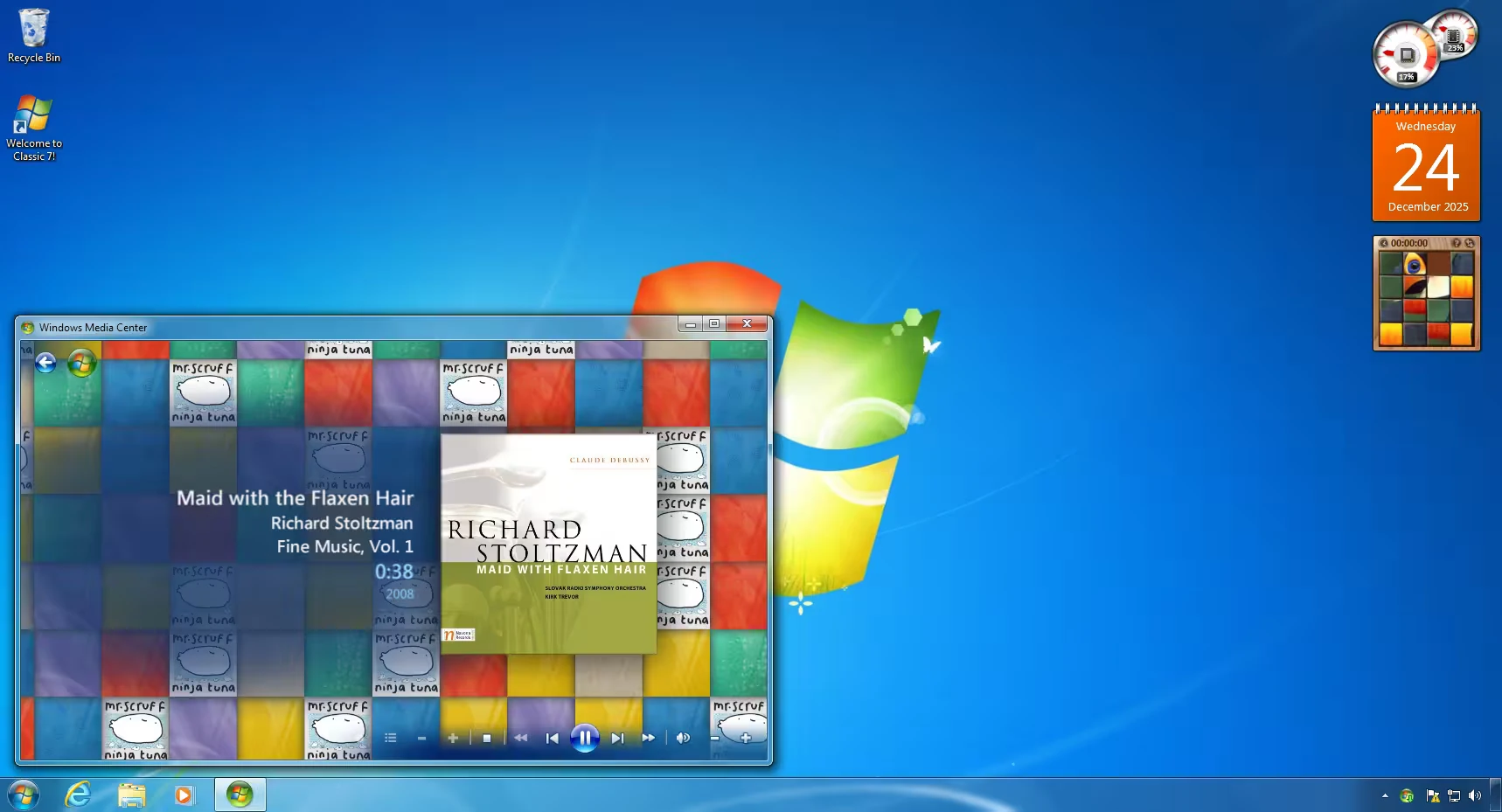
- Windows Media Center – a fully functional Media Center, which was removed from Windows 10 long ago
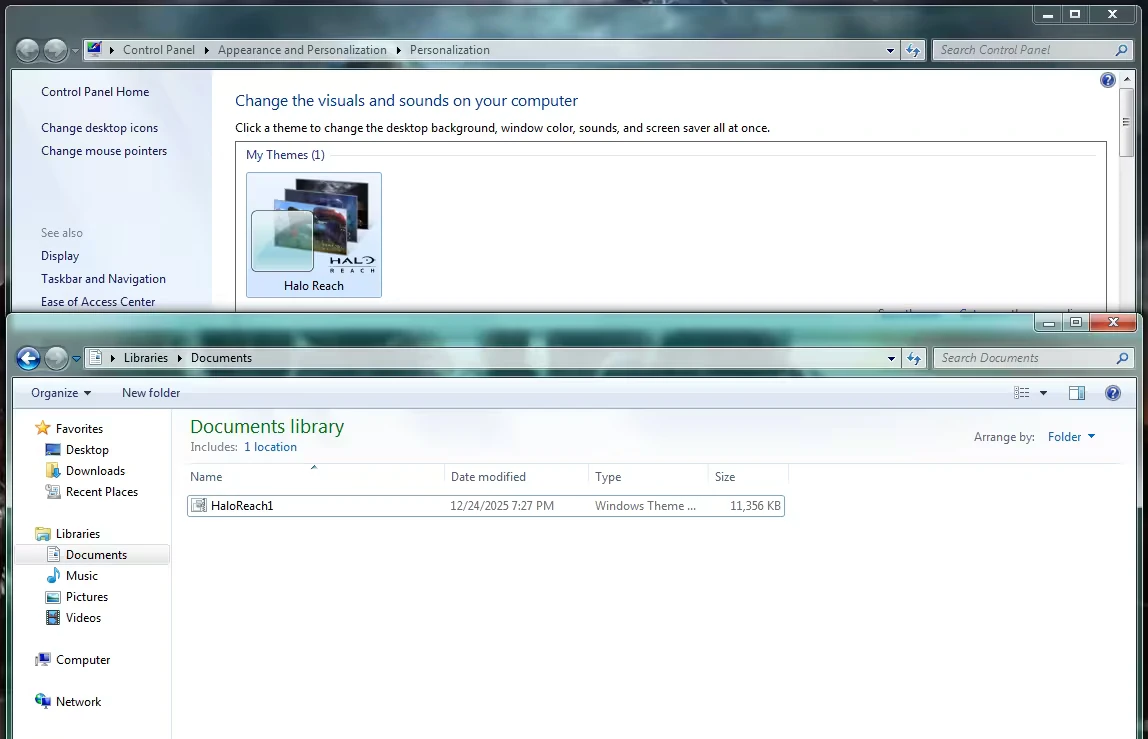
- Support for .themepack theme files – you can directly use Windows 7 theme packs
- Desktop Gadgets – classic gadgets like clock, calendar, CPU meter make a return
- Based on Windows 10 IoT Enterprise LTSC 2021 – lightweight and trimmed, removing Xbox Game Bar, ads, Edge, and other bloat
User Experience
My biggest takeaway is not that it looks like Windows 7 – it's that it genuinely feels like using Windows 7. Many themes just swap icons and wallpapers, but Classic 7 reworks almost everything: the login screen, File Explorer, Control Panel, and Start menu. The first time you boot it up, you might even wonder if you installed the wrong OS.
From the OOBE initial setup, it follows the classic Windows 7 installation flow. Once you reach the desktop, the Aero Glass effect, taskbar style, and notification area icons are almost indistinguishable from the original Windows 7. What's more impressive is that this isn't just a surface‑level makeover – the window open, close, minimise, and maximise animations all carry the distinctive 3D transitions of Windows 7. All the annoying bits of Windows 10 – ads, account prompts, Xbox Game Bar, Cortana – are simply gone. The desktop feels refreshingly clean.
Screenshots
Things That Could Be Better
Classic 7 is not a flawless solution, and there are several practical issues worth considering.
Installation is complex. It's not a regular software installer – it's a full system image that requires a clean installation. For users unfamiliar with the system setup process, the barrier is definitely high.
It's a third‑party modified system, not official Microsoft. The developer clearly states it's a fan‑project and has no affiliation with Microsoft. While no malicious behaviour has been observed, downloading and installing an OS from a non‑official source always carries inherent risks.
Licensing is unclear. Windows 10 IoT Enterprise LTSC 2021 is aimed at enterprise customers and requires a volume licensing agreement. There's no clear path for ordinary users to legally obtain this version.
Some Windows 7 features are still missing. The 3D window animations and Flip 3D (the 3D window switcher via Win+Tab) are not yet implemented. Some system components or desktop gadgets may not work properly due to compatibility differences between Windows 7 and Windows 10.
Not suitable for a primary machine or production environment. There is a lack of public performance, stability, and security testing data. Using it on a daily driver introduces unknown compatibility risks – it's better suited for a spare machine or virtual machine for experimentation.
Free Usage License
Classic 7 itself is a free community project and can be downloaded from the official website classic7.lol. However, it is essentially a modified version of Windows 10 IoT Enterprise LTSC 2021, and the underlying OS still requires a legitimate license. If you're just testing it, the system can run in an unactivated state – but for long‑term use, the licensing question remains a serious concern.
Supported Platforms / Languages
Classic 7 is based on Windows 10 IoT Enterprise LTSC 2021 and only supports 64‑bit systems. The base OS is English, but interface languages can be switched via language packs. Hardware requirements are very low – only 2GB RAM and a 1GHz processor are needed at minimum.
Who Is It For
- Long‑time Windows 7 fans – who want to relive the classic interface experience
- Users who dislike Windows 11 – tired of ads, recommendations, and account‑centric design
- Those who still want Windows updates – getting security patches while keeping the classic look
- System tinkerers – willing to experiment with third‑party mods on spare devices or VMs
- Classic Windows collectors – as a nostalgic project to explore
Alternatives
If you don't want to reinstall the whole system but simply wish to bring back classic elements on your existing Windows, these lightweight tools are worth a look: StartAllBack – restores the classic Start menu and taskbar; ExplorerPatcher – brings back Windows 10‑style File Explorer on Windows 11; Open‑Shell – a free and open‑source Start menu replacement; RetroBar – turns your taskbar into the classic Windows 95/98/7 style; and Windhawk – lets you customise various Windows UI details through mods.
Final Thoughts
I think Classic 7 is more like a love letter to longtime Windows 7 users. It doesn't change Windows' underlying logic, but rather brings back that familiar desktop while retaining the security and compatibility of Windows 10. It's not perfect – installation is demanding, licensing is questionable, and some features are still missing – but for those willing to tinker on a spare machine, it's a genuinely interesting nostalgic project. If you've always missed the Windows 7 interface but don't want to stick with an unsupported old OS, it's definitely worth a look.