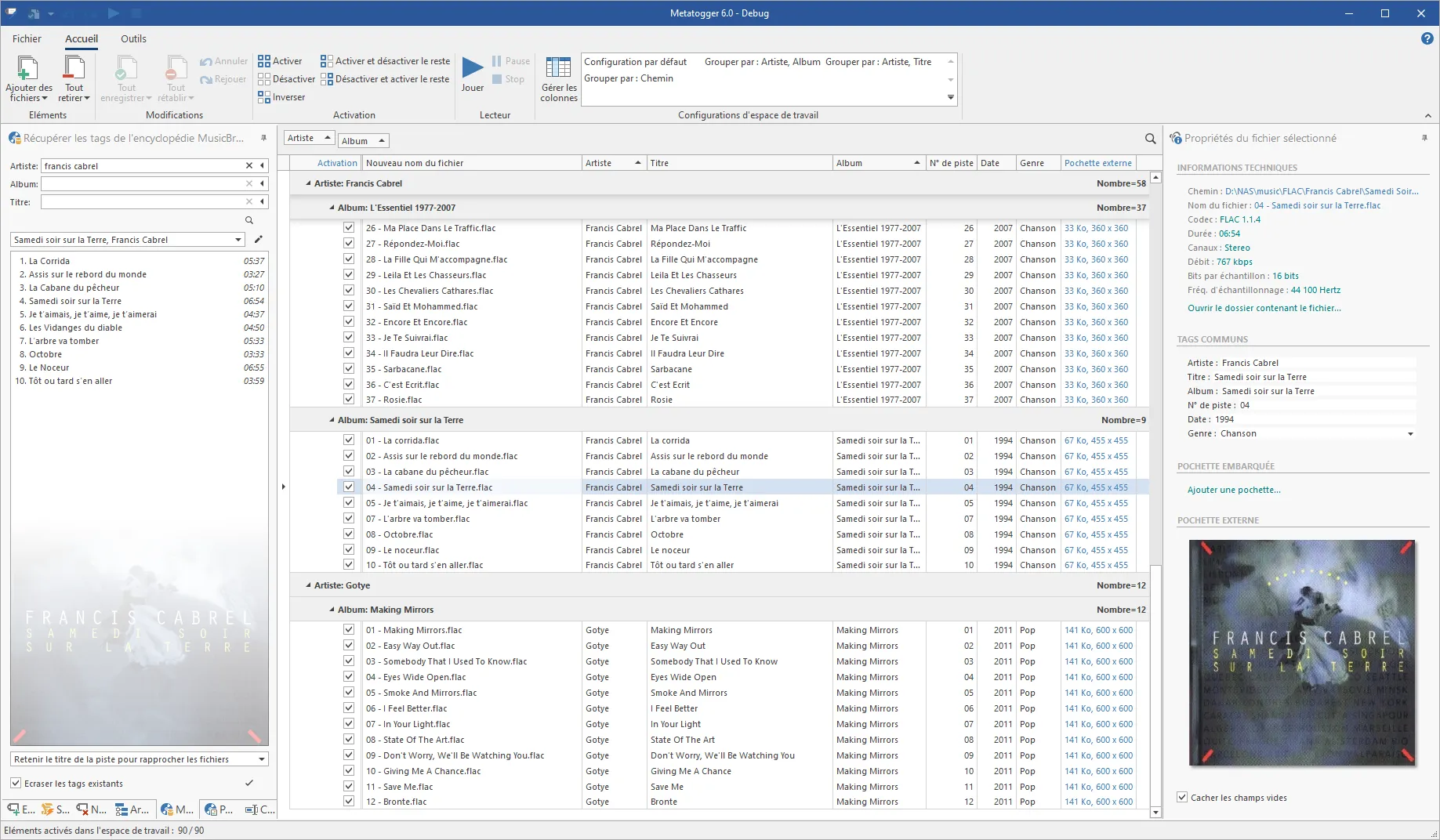
MetatOGGer is a handy tool for renaming audio files like Ogg Vorbis, FLAC, and MP3. Its main job is to help you clean up your music collection by fixing file tags (like artist and album info) and organizing your folders. It can automatically pull tag info from your existing file names or folder paths. You can also use it to rename, copy, or move files based on their tags. The software is available in Chinese, has a clean design, and is very easy to learn. It’s flexible enough for power users but simple enough for beginners. A standout feature is its "Acoustic Fingerprint" technology—even if a file has no name or info at all, MetatOGGer can listen to the song and identify the artist and title for you. It can also search local databases or the web for info, find lyrics, download album covers, and delete unnecessary tags to keep your library tidy.
Key Features
1. MusicBrainz Database
MetatOGGer uses a massive database of over 1.5 million records from MusicBrainz to automatically identify your songs. This makes it super easy to find missing details like track numbers.
2. File & Folder Organization
The tool can read the names of your files or folders to fill in missing tags. Conversely, it can rename or move your files into a neat folder structure based on the tags you’ve saved.
3. Smart Audio Recognition (Acoustic Fingerprinting)
Even if your files are named "Unknown Track," MetatOGGer uses Acoustid technology to "listen" to the file and figure out what the song is and who sang it.
4. Add Lyrics and Album Art
It can automatically search Wikia.com for song lyrics and use archive.org to find album covers. You can save the covers directly inside the music file or in the song's folder.
5. Find Duplicate Songs
Using its "fingerprint" tech, the software can find duplicate songs in your library even if they are in different formats (like an MP3 vs. a FLAC) or have different file names.
6. Fast Tag Editing
You can easily add or delete any tags. For advanced users, it even supports C# scripting to quickly fix text, like changing all titles to uppercase or fixing typos.
Software Functions
1. MusicBrainz Integration: Automatically tag your music using a huge, reliable database of over 1.5 million entries.
2. Smart Path Processing: Use your folder structure to create tags, or use tags to organize your folders and rename files.
3. Acoustic Fingerprinting: Identify mysterious songs that have no metadata or file info at all.
4. Lyrics and Covers: Automatically fetch lyrics from Wikia and search for high-quality album art via archive.org.
5. Duplicate Detection: Identify and clean up duplicate files, even if the audio quality or file type is different.
6. Flexible Editing: Edit tags manually or use scripts to perform bulk actions like formatting text or removing extra spaces.
Software Highlights
1. It is a powerful yet user-friendly manager for almost every audio format, including Ogg Vorbis, MP3, FLAC, Speex, Musepack, Windows Media, WavPack, and Monkey’s Audio.
2. You can create custom tags with your own names and values. It also lets you see technical details like the bitrate and sample rate, add album covers, and use IronPython scripts to automate tedious editing tasks.
3. Other cool features include downloading lyrics, finding duplicates, and playing tracks directly in the app. You can also strip away junk tags you don't want (like old comments) to keep your files clean.
4. The software supports multiple languages and lets you customize the interface (like toolbars and columns) to fit your style. It runs smoothly and handles large music libraries efficiently.