DisplayFusion: Making Multi-Monitor Setups More Productive
"As technology keeps improving, using more than one screen is becoming very common. Having multiple monitors can boost your productivity, save you time spent switching between windows, give you more workspace, improve multitasking, and offer a better visual experience."
However, without a good tool to manage them, multiple screens can sometimes be a headache. That is where DisplayFusion comes in.
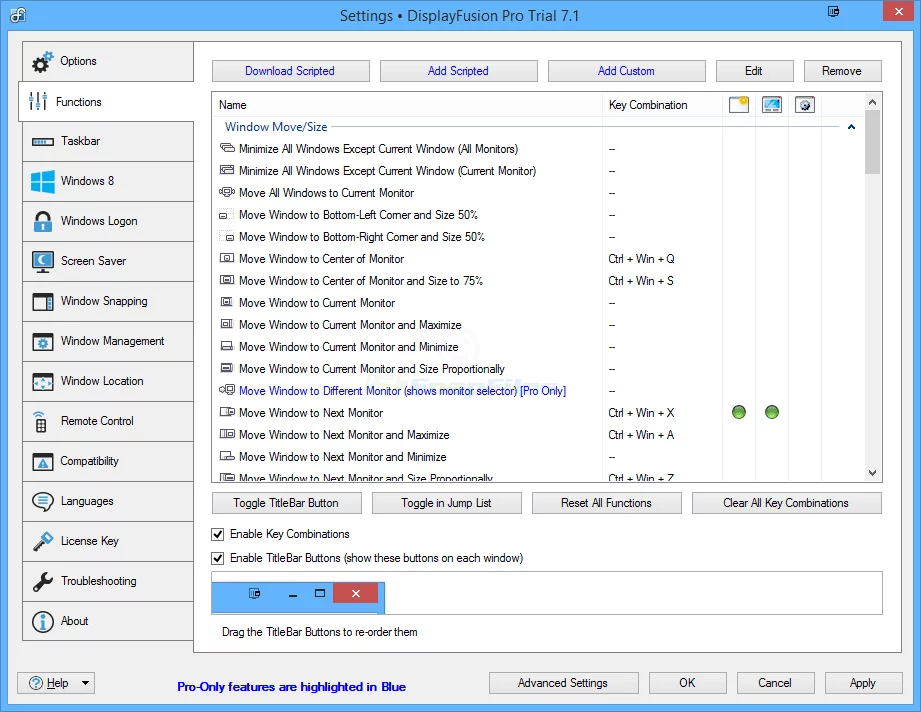
DisplayFusion is a software that lets you manage all the monitors connected to your computer. It offers a variety of features to help you organize and improve your desktop experience, including window management, wallpaper controls, and extra taskbars for each screen. With DisplayFusion, you can customize your desktop to fit your specific needs, making it much easier to work across different screens and apps.
First, DisplayFusion helps you manage your open windows. You can use keyboard shortcuts or your mouse to easily move windows between monitors. You can even set up "Window Rules" to automatically send specific programs to the screen you want every time they open.
Second, DisplayFusion handles wallpapers for multiple screens perfectly. You can set a different background for each monitor or stretch one large image across all of them. It even supports "Live Wallpapers" to make your desktop feel more active and alive.
Additionally, DisplayFusion adds a taskbar to every monitor. You can have a separate taskbar on each screen to manage the programs running on that specific display, or you can set them to show the same icons across all screens to make things more convenient.
In short, DisplayFusion is a very practical tool that makes working with multiple monitors much more efficient. If you are using more than one screen, give DisplayFusion a try—it definitely won't let you down.