Software Introduction
Disk Sorter Pro Latest Version is a powerful tool for analyzing your disk space. It provides specific data analysis, custom reports, automated tasks, and reliable security options to help you manage your disks effectively. It features disk space analysis, file encryption, file shredding, flexible filtering, and more, making it easy for you to take control of your computer's storage.
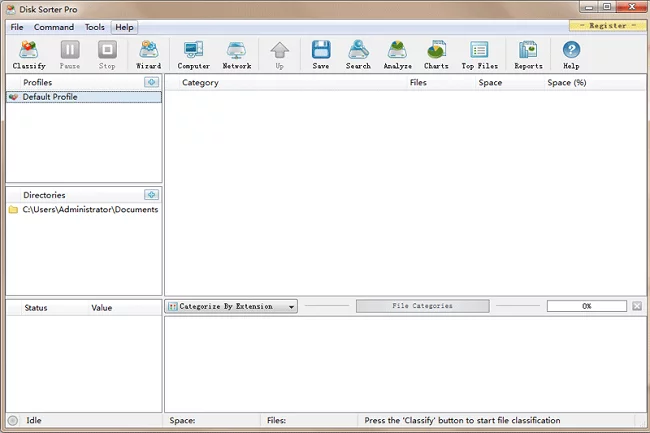
Software Functions:
1. Disk Space Analysis
Scans your disk to see how space is being used. It displays findings in visual charts, helping you understand what's taking up room so you can plan your storage better.
2. File Encryption
Allows you to encrypt files on your disk, keeping your data safe and preventing unauthorized people from opening them.
3. File Shredding
Can permanently "shred" files, deleting them so completely that they cannot be recovered by data retrieval tools.
Software Highlights:
1. Deep Data Analysis
Analyze your storage from many angles. You can sort by file type, size, time, creator, extension, path, or even custom tags. View the results through easy-to-read pie charts and bar graphs to see exactly where your space went.
2. Customizable Reports
Choose from ready-made report templates or build your own. When creating a report, you can filter or sort by different properties. You can also export these reports to share with others or save for later.
3. Flexible Filtering
Narrow down your results to find exactly what you're looking for. For example, you can filter to see only files modified in the last week or only files of a certain size.
4. Automated Tasks
Set Disk Sorter Pro to automatically scan disks or specific folders on a schedule. You can even set it to email the reports to you automatically, saving you time and keeping your data organized without manual work.
Software Advantages:
1. Real-time Monitoring: It watches for disk changes. As you add or delete files, the analysis updates automatically to reflect the current state of your storage.
2. Multi-Platform Support: It works on several operating systems, including Windows, Linux, and macOS, allowing you to use the same tool across different devices.
3. Multi-Language Support: Available in English, Spanish, French, German, Japanese, and Chinese, making it accessible for users all over the world.
4. Security Features: Offers options like password protection and access restrictions to ensure your data stays private.
Disk Sorter Pro Installation Steps
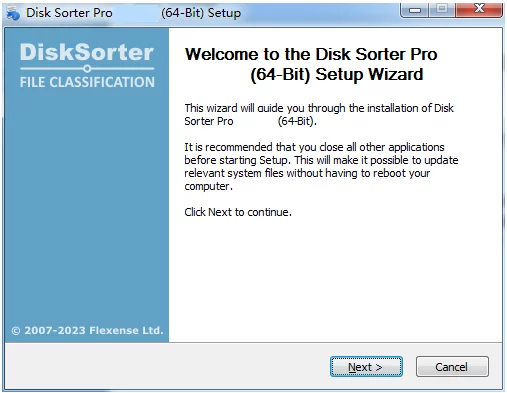
1. Open the installation package and click "Next."
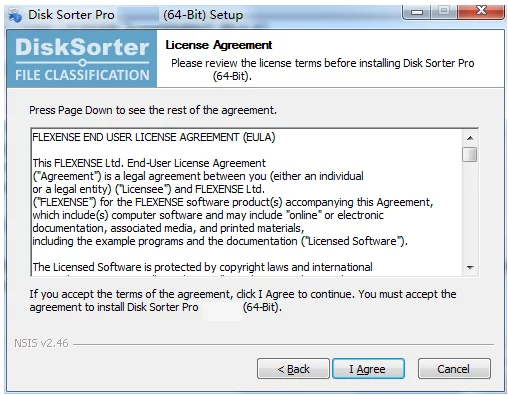
2. Click "I Agree" to the terms.
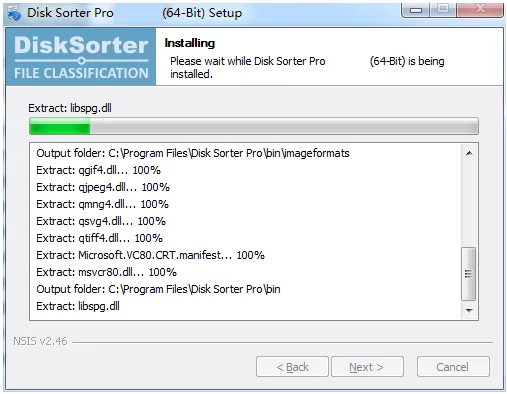
3. Click "Install" and wait for the process to finish.