
RoboForm is widely considered the best tool for filling out forms and managing passwords. It is carefully designed with all the right features and the intelligence to fill out forms accurately. Using AI technology and extensive testing, it is one of the most precise form-fillers on the market today.
RoboForm Software Highlights
Your Personal Password Manager
You only need to remember one Master Password for RoboForm, and RoboForm remembers everything else for you—it’s that simple! Once saved, you can log into your favorite websites with just one click.
RoboForm Everywhere
Whether you are on a PC (Windows/Mac), phone, or tablet, you can access your saved passwords anytime. The powerful sync technology ensures that all your devices are updated instantly with your latest info.
Top-Tier Security
All data stored in RoboForm is encrypted using military-grade AES-256 bit technology combined with PBKDF2 SHA256.
Automatic Form Filling
Do you shop online often? No need to keep typing long, boring forms. RoboForm lets you fill out all your personal and shipping info with a single click.
RoboForm Main Functions
1. Auto-Save & Login: Automatically remembers your browser passwords and logs you in instantly.
2. One-Click Forms: Fills out long registration forms for you automatically.
3. Encryption: Encrypts your password data to keep your accounts highly secure.
4. Password Generator: Creates strong passwords that hackers can't guess.
5. Anti-Phishing: It recognizes your usual websites and won't be fooled by fake or "scam" sites trying to steal your login.
6. Virtual Keyboard: Lets you enter passwords using your mouse instead of your keyboard, preventing "keyloggers" from stealing your info.
7. Backup: Easily back up your passwords and important notes to other computers.
8. Sync Technology: Uses GoodSync technology to keep passwords the same across all your devices.
9. Powerful Search: Use keywords to quickly find passwords, notes, or info on the web.
10. Portable (RoboForm2Go): Can be installed on a USB drive so you can use it on any computer without re-installing.
11. Mobile Companion: Syncs your passwords with your handheld devices and smartphones.
12. Wide Compatibility: Fully supports Internet Explorer, Firefox, and other major browsers.
RoboForm Solutions
Password Manager
The world's best password security solution for businesses.
Centralized Management
Our simple but powerful control console allows companies to create, deploy, and manage accounts for all employees. Admins can safely grant or revoke access permissions for teams or individuals.
Privacy & Security
We use end-to-end encryption for creating, storing, and sharing passwords. Your Master Password is never stored on our servers—only you know it. We also offer detailed reporting and multi-factor authentication (MFA) options.
How to Use RoboForm
RoboForm makes it so you never have to type a password again.
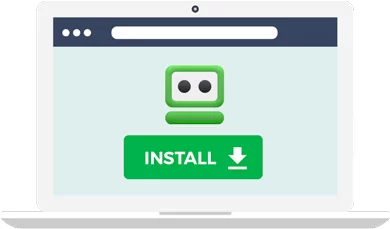
1. Download RoboForm: Install it on your favorite devices and browsers. You can install it on several devices, and the "Everywhere" version will keep them all synced.
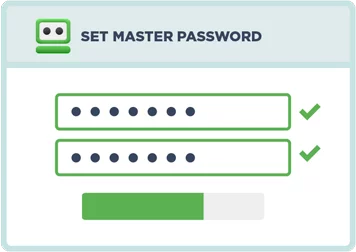
2. Pick Your Password: Your Master Password is the only one you need to remember. We do not store this, so make sure you keep it safe!
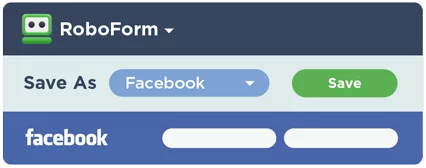
3. Save Other Passwords: The more passwords you save in RoboForm, the better. You can import them from a CSV file, from another manager, or just let RoboForm "learn" them as you log into your accounts.
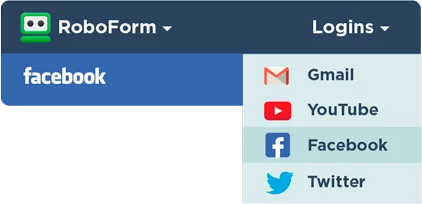
4. Stop Typing Info: Once your passwords are in RoboForm, just click to log in instantly.
5. And Much More:
RoboForm also includes an automatic password generator, deep search, file organization, password strength testing, and secure password sharing.