
Replay Video Capture is a powerful screen recording tool designed specifically to catch online videos, music, and multimedia content. It allows you to easily record video streams playing on your computer screen, including live streams, online movies, web meetings, and more. The tool provides high-quality recordings and lets you customize settings like frame rate, video quality, and audio details. You can also choose to record just a specific part of your screen to make sure you get exactly what you want.
Replay Video Capture has a simple and clear interface that makes it easy to use. It even includes a live preview feature so you can check that your recording looks right while it's happening. Once finished, you can save your files in many popular video and audio formats for editing or sharing later. This tool is great for making educational tutorials, saving meetings, capturing online music, or keeping online videos to watch offline.
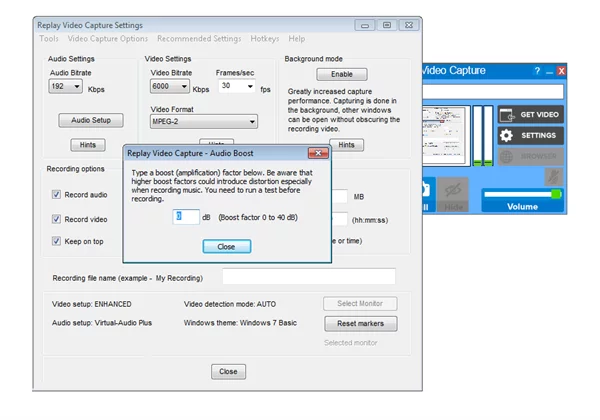
Key Features
1. Screen Recording
Replay Video Capture lets you pick the exact area of the screen you want to record, capturing both the picture and the sound.
2. High-Quality Results
The tool is built to ensure your videos and audio come out looking and sounding as good as the original.
3. Stream Recording
You can use it to record streaming video from sites like Netflix, Hulu, and Amazon Prime Video, as well as online radio and music.
4. Audio Recording
Besides video, it can grab sound from your system or your microphone, which is perfect for recording online voice calls or meetings.
5. Simple to Use
The interface is very straightforward, allowing you to set up your recording and start with just a few clicks.
6. Personal Settings
You can change the settings to fit your needs, including the smoothness of the video (frame rate) and the audio quality.
7. Live Preview
Some versions show you exactly what is being recorded in real-time so you can be sure everything is perfect.
8. Many Formats
It supports a wide variety of video and audio file types, making it easy to watch your recordings on other devices.
Software Advantages
1. Full-Screen HD Recording
The "Background Recording" mode has been greatly improved. You can now record full-screen HD videos at very high frame rates (like 1080p at 60fps or 720p at 120fps) on Windows 7, 8, and 10.
2. Monitor Scaling
This version handles different screen sizes better. If you use two monitors with different zoom levels, the software will adjust correctly on both.
3. Game Recording
While older versions could record games, this version makes it much easier and more convenient to record games that are running in "windowed" mode.
4. Hotkeys
You can set up custom keyboard shortcuts to control your recording. This is very helpful when recording games. The new defaults are: Alt + A to start/stop, Alt + S to pause, and Alt + D to mute your mic. You can change these in the settings if you prefer different keys.