
Monosnap is a free, no-nonsense screenshot and quick-annotation tool that also grabs screen recordings, perfect for remote work. Snap, doodle arrows, blur private bits, and share the link in seconds. The interface is clean, the learning curve is flat, and it barely touches your CPU. Bonus: it can record your webcam at the same time, so people see your face and your screen side-by-side. Chrome extension, iPhone, iPad, Mac, and Windows apps all sync to Monosnap’s cloud, so your captures follow you everywhere. Grab it, set a hotkey, and you’re done.
What it does
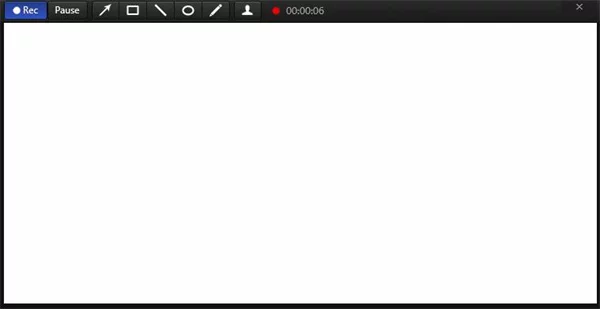
1. Records your whole screen or just a chunk.
2. Adds arrows, boxes, circles, or text while you record.
3. Saves video as MP4 or image as JPG/PNG.
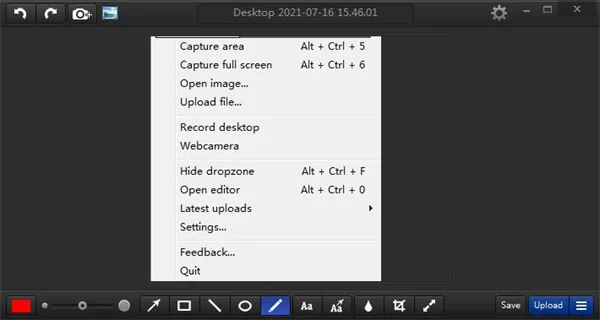
4. One-click upload to Monosnap cloud and copies the link.
5. 8× magnifier for pixel-perfect crops.
6. Custom hotkeys, blur tool, webcam overlay—set once, forget it.
Bottom line
Snap, mark up, share—fast, free, and friendly.
Monosnap – the good and the bad
Pros
1. Built-in magnifier makes pixel-perfect cropping dead easy.
2. Quick-annotate tools (arrows, boxes, blur, text) cover 90 % of needs without opening another editor.
Cons
3. Tiny window buttons can vanish on dark backgrounds—easy to miss.
4. A few cloud-storage goodies are pay-walled; free users get the basics only.