
Database Tour Pro is a comprehensive database management tool. It provides users with essential services including viewing, editing, and printing data, building and running SQL queries, managing transactions, sorting and filtering data, viewing structures, and searching/replacing text.
In terms of database support, the software works perfectly with almost all mainstream databases on the market, including ODBC, SQL Server, Access, Oracle, PostgreSQL, SQLite, Firebird, Interbase, and more. To meet different user needs, it also allows you to export data into formats such as Excel, HTML, SQL scripts, DBF, and CSV.
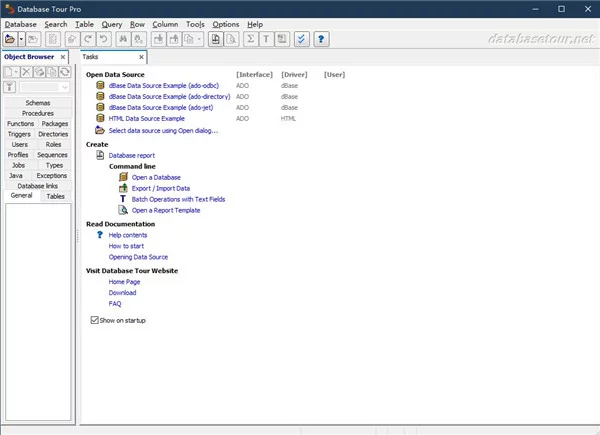
Key Features
1. Wide Range of Database Formats
Supports all major database types, such as ODBC, SQL Server, Access, Oracle, PostgreSQL, SQLite, Firebird, Interbase, Excel, Visual FoxPro, dBase, Paradox, CSV, MySQL, DB2, SQL Anywhere, and more.
2. Powerful Data Export
Highly customizable exporting to Excel, HTML, SQL scripts, DBF, and CSV. You can also copy data directly from one database to another—for example, moving data from Access to Oracle, SQL Server to PostgreSQL, or SQLite to Firebird.
3. Built-in Report Engine and Designer
The powerful report generator simplifies the process of creating and editing database reports. This feature is available in the Pro version.
4. SQL Query Tools
The SQL editor features syntax highlighting and "Ctrl+clickable" objects for easy navigation. You can execute multi-statement SQL scripts and view detailed query statistics.
5. Extensive Database Operations
Perform useful tasks across your entire database, such as batch data processing and advanced search-and-replace for text.
6. Convenient Data Viewing
The data grid allows you to view CLOB/MEMO (large text) and graphic data. You can expand rows, use auto-scroll, sort entries, select groups of records, and copy data easily. Records can be highlighted based on their content (conditional formatting), and there is a specialized tool for handling BLOB fields.
7. Command Line Support
Many database operations can be performed via the command line (mostly in the Pro version). This is perfect for use in batch files, task schedulers, or when being called by other programs.